Land more interviews.
Stop rewriting your resume.
Keep one master resume, tailor it to every job in minutes with AI, and apply with a recruiter-ready PDF — while every version, job, and application stays organized in one place.
Free to start · No credit card required
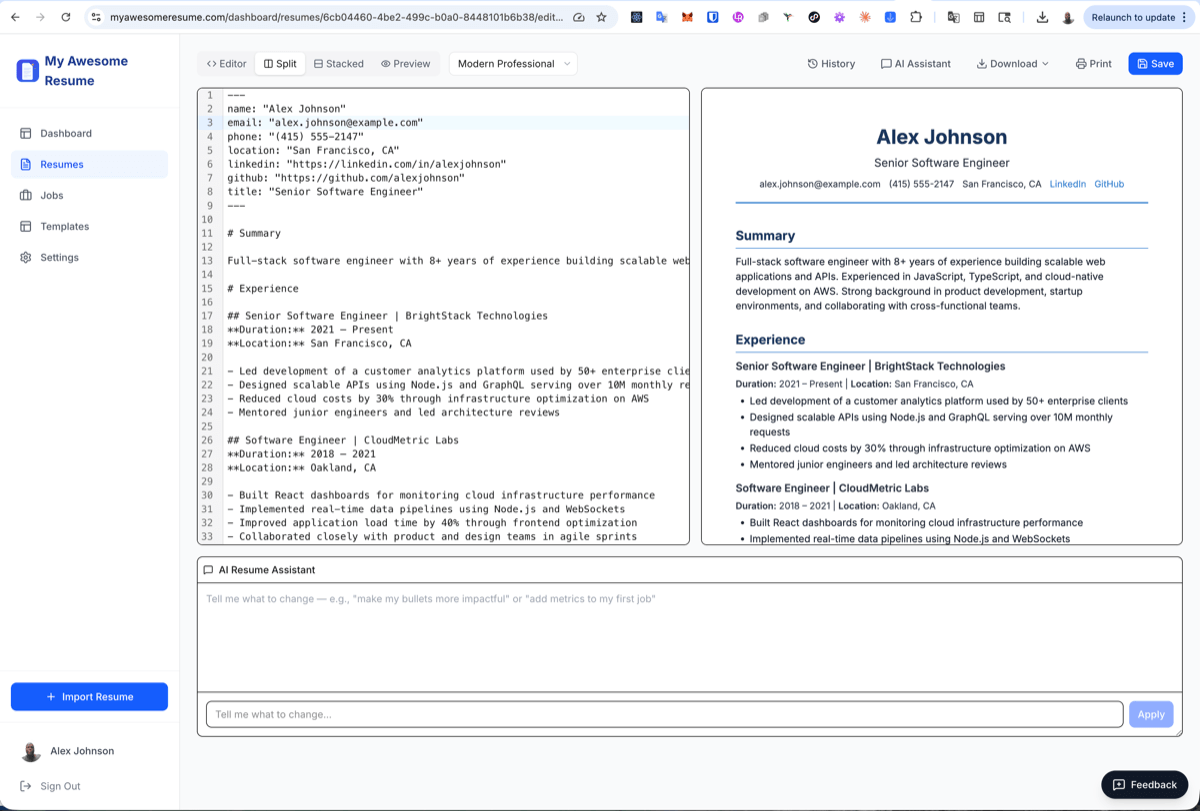
Tailored in minutes
Not another evening rewriting bullet points.
One master, many versions
Every tailored copy saved — never overwritten.
Your whole search, organized
Resumes, jobs, and applications in one workspace.
From your old resume to “applied” in five steps
A complete workflow — not a chat window you copy and paste out of.
- 1
Import
Upload your PDF or Word resume — we parse it into clean, editable sections.
- 2
Save a job
Capture a posting from LinkedIn in one click with the browser extension.
- 3
AI tailors
Match the posting’s keywords and rewrite weak bullets — as a new branch.
- 4
Export
Download a recruiter-ready, ATS-friendly PDF or Word doc.
- 5
Apply
Track the application, linked to the exact resume you sent.
“Why wouldn’t I just use ChatGPT?”
ChatGPT is a brilliant writing assistant. But a job search isn’t one paragraph — it’s dozens of versions, jobs, and exports to keep straight. Here’s what a dedicated workspace adds.
Use ChatGPT to wordsmith a line. Use My Awesome Resume to run the search.
AI that knows what a recruiter is looking for
Paste a job description and the AI does the work a generic writing tool can’t — it reads the posting and reshapes your resume to match, then saves it as its own version.
Finds missing keywords
Pulled straight from the posting.
Quantifies your impact
Turns duties into measurable wins.
Improves ATS match
Mirrors the recruiter’s language.
Rewrites weak bullets
Sharper, results-first phrasing.
Before
Responsible for working on the company’s web application.
After
Rebuilt the customer dashboard in React & TypeScript, cutting load time 40% and lifting weekly active users 25%.
Branch your resume like a developer branches code
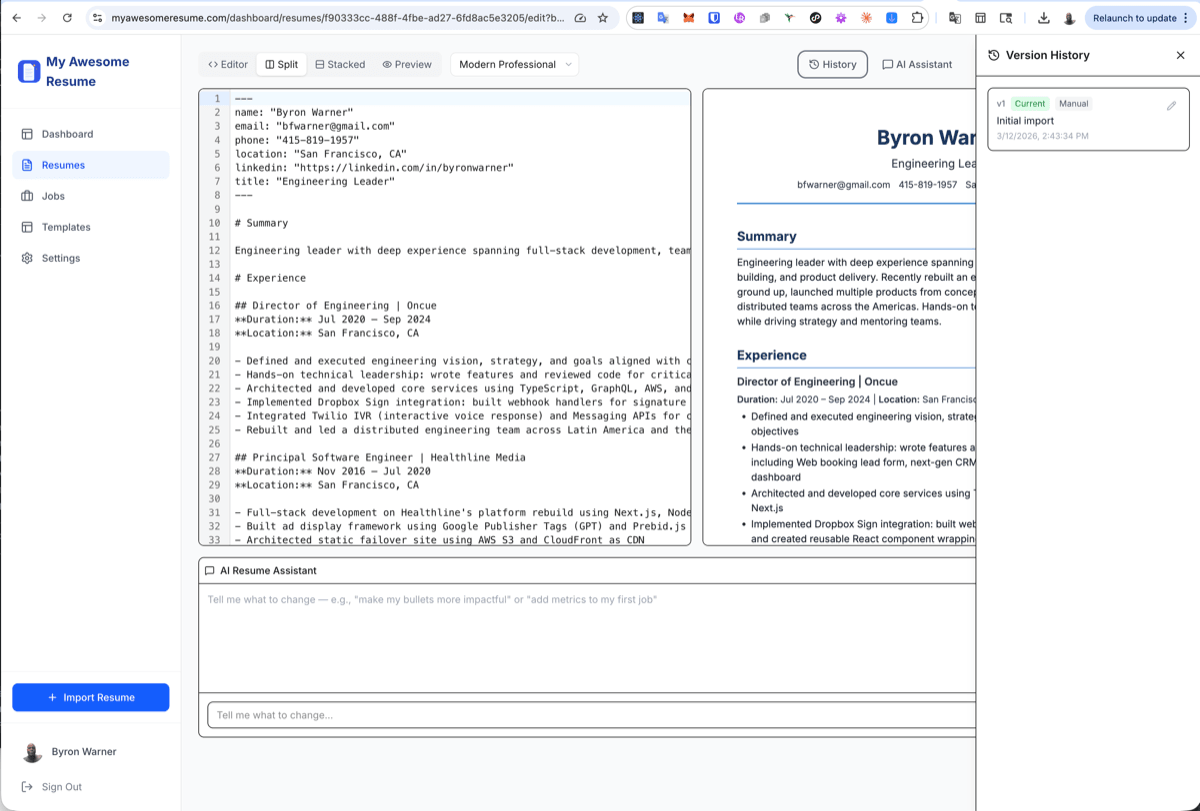
Keep one master resume and spin off a tailored branch for every role. Edit fearlessly — nothing is ever overwritten, and you can always compare versions or roll back.
- A dedicated version for every company and role
- Full edit history with timestamps
- Compare or revert any change — never lose a good draft
See a job on LinkedIn? Save it in one click.
No more copying job descriptions into a doc. Browse any job board, click the extension, and the posting lands in your workspace — ready to tailor a resume to and track.
Add to Chrome — free1.Browse LinkedIn
Or Indeed, a company careers page — anywhere.
2.Click save
The posting is captured instantly.
3.Tailor your resume
AI matches it to the job you just saved.
4.Apply & track
It’s already in your application tracker.
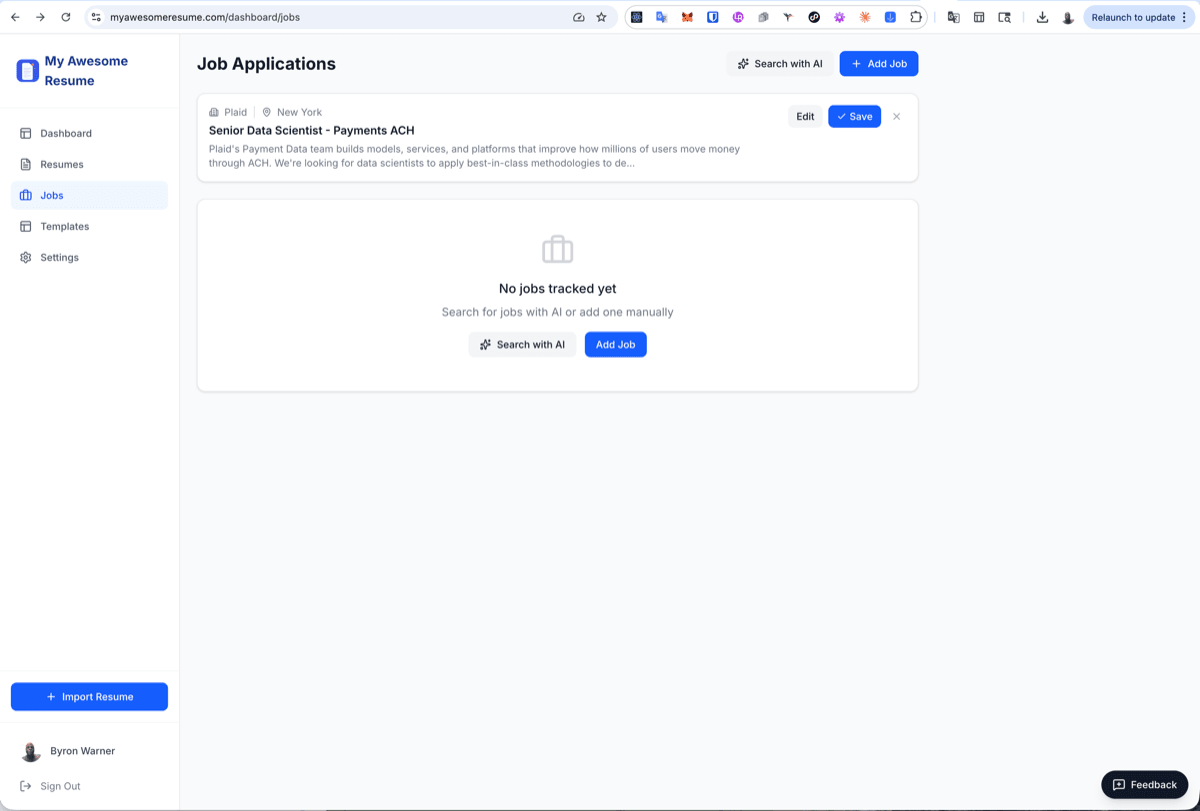
Never lose track of where you applied — or with what
Every saved job stays organized, and every application is linked to the exact resume you submitted. When a recruiter calls back, you’ll know precisely which version they’re holding. No spreadsheet required.
- Each application linked to the resume you sent
- Track status from saved to offer
- AI-powered job search to fill your pipeline
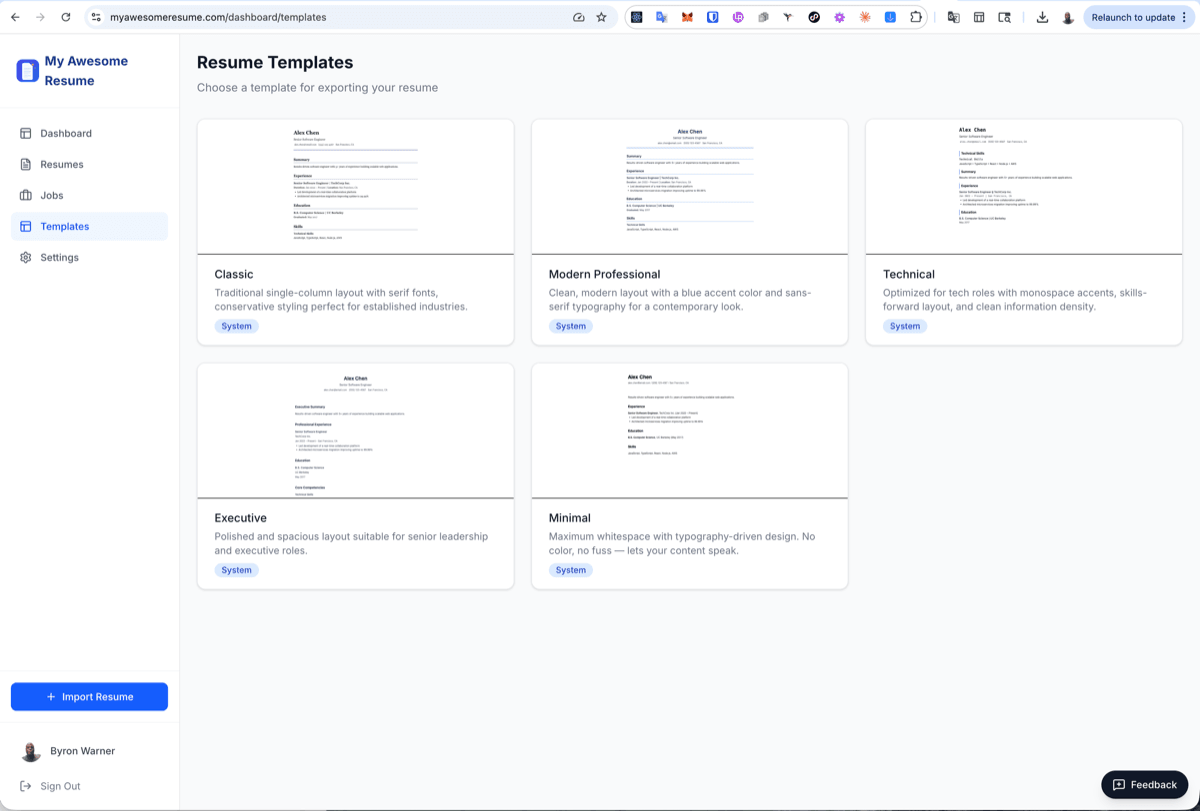
Polished templates, export-ready in a click
Switch between professional templates without touching your content, then export a clean, ATS-friendly PDF or Word doc that looks like you hired a designer.
Start free. Upgrade when you’re in the thick of it.
No credit card to start. Pro is there for when your search heats up.
Free
$0/forever
Everything you need to get started.
- 3 resumes
- 25 AI tailoring actions / month
- 3 exports (PDF, Word & more)
- Track up to 10 jobs
- Version history & branching
- Browser extension
Pro
$9.99/month
Or $96/year (save 20%) · try a week for $5.
- 20 resumes
- 250 AI tailoring actions / month
- Unlimited exports
- Unlimited job tracking
- Everything in Free
- Priority support
Questions, answered
Why not just paste my resume into ChatGPT?
ChatGPT is great for drafting a sentence — but a real job search is dozens of versions, jobs, and exports. My Awesome Resume keeps one master resume, saves every tailored version (nothing gets overwritten), tracks which resume you sent to each company, and exports recruiter-ready PDFs and Word docs. It's a workspace built for the whole process, not a blank chat box you start over in every time.
Will my resume pass ATS (applicant tracking systems)?
Yes. The AI matches the keywords and language from each job posting, and our templates export to clean, parseable PDF and Word formats that applicant tracking systems can read — no tables, columns, or graphics that break parsing.
Do I have to rewrite my resume for every job?
No — that's the whole point. You import your resume once, then create a tailored branch for each role in a few minutes. Your master resume and every previous version stay intact.
What formats can I import and export?
Import from PDF, Word (DOCX), Markdown, or plain text. Export to PDF, Word, HTML, or Markdown with your choice of professional templates.
Is it really free?
Yes. The free plan includes 3 resumes, 25 AI tailoring actions a month, 3 exports, and tracking for 10 jobs — no credit card required. Upgrade to Pro only when you need more.
What does the browser extension do?
While you browse LinkedIn or any job board, click the extension to save a posting straight into your workspace. From there you can tailor a resume to it and track the application — without copying and pasting job descriptions around.
Your next interview starts with a better resume
Import your resume, tailor it to a real job, and export it — all in the next few minutes. Free to start, no credit card.
Your data is yours — export or delete it anytime.